
Parish Observer · Parish Formator role
Parish Formator
Configure evaluation areas, invite parish observers, review candidate observations, and track trends for your parish.
What Parish Formator users do
- Parish-scoped dashboard for candidates, observers, and observations
- Invite and manage users with the Observer security role
- Configure ministry-role rubrics, categories, and 1–5 rating questions
- Review candidate evaluations with filters by candidate, observer, and date
- Open evaluation trends by candidate, ministry role, or observation area
Screen walkthrough
Parish Formator screens
Swipe or use the controls to review each screen with a short description for indexing and training.
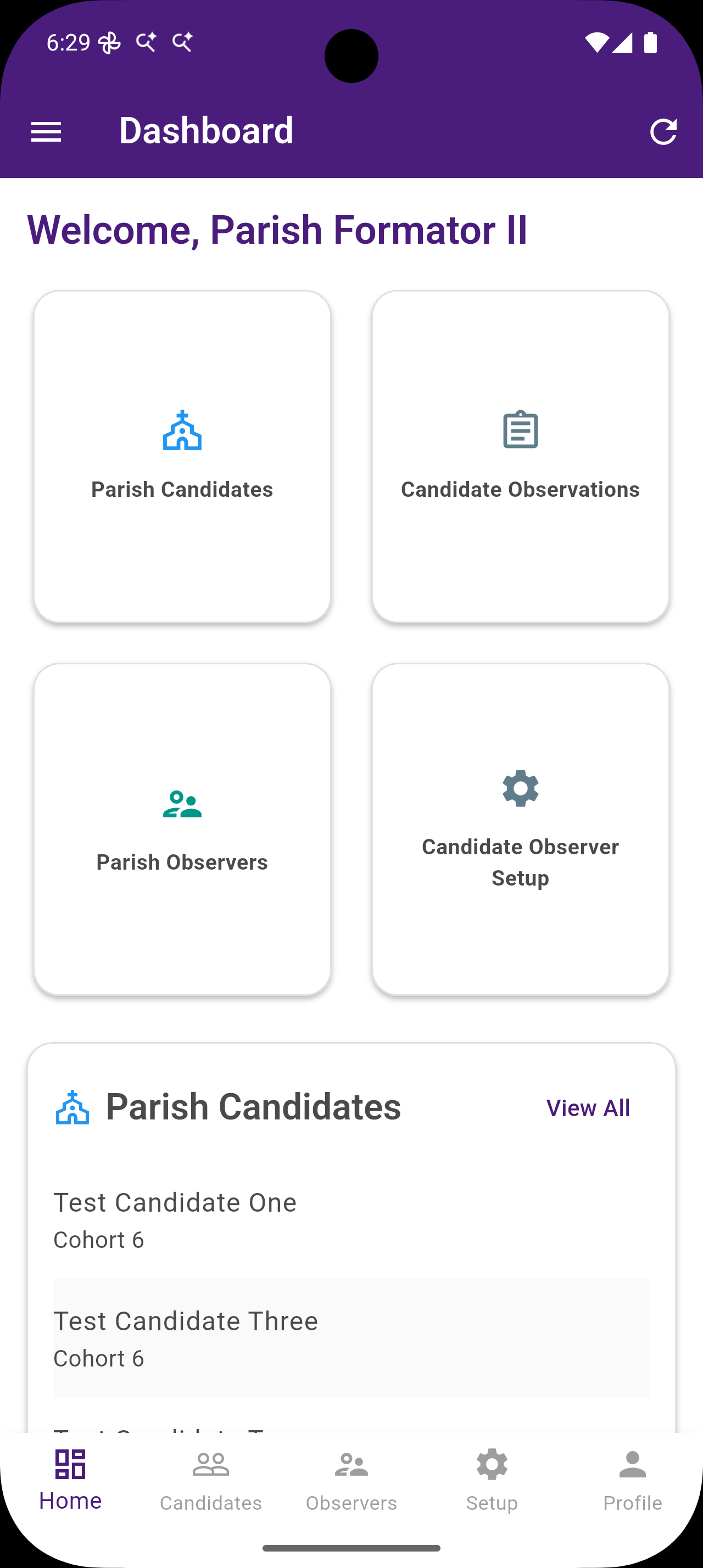
Parish Formator Dashboard
The role home for Parish Formators shows parish-scoped tiles for candidates, observers, and observations—so formators can jump into the Candidate Observer workflow without leaving their parish context.
- Parish Formator Dashboard The role home for Parish Formators shows parish-scoped tiles for candidates, observers, and observations—so formators can jump into the Candidate Observer workflow without leaving their parish context.
- View Parish Candidates Browse candidates (and spouses when applicable) assigned to the formator’s parish. This list drives who observers can evaluate and keeps parish formation work clearly scoped.
- Manage Parish Observers Add users who can submit candidate observations. Invited partners receive the Observer security role and can record structured feedback for candidates in the parish.
- Observer Evaluation Areas Manage ministry-role rubrics—such as Lector, EMHC, Sacristan, or Acolyte—with categories and rating questions aligned to how your diocese and parish observe candidates in ministry.
- Edit Evaluation Areas Create or update an evaluation area with a ministry role name, translations, and active status so observers always rate candidates against the right ministry context.
- Parish-Unique Categories Parish Formators can add categories scoped to their parish when local ministry expectations need extra observation detail beyond the diocese-standard rubric.
- Diocese Category Security Diocese-defined categories stay locked for Parish Formators, protecting program-wide standards while still allowing parish-scoped customization where permitted.
- Candidate Evaluations Review all parish observations in one place. Filter by candidate, observer, and date, then open trends or start a new observation when the formation team needs another data point.
- Evaluations Grouped by Date Group observations by date to see how feedback accumulates over a formation season. Expand a day to inspect candidate entries, question counts, and ministry areas covered.
- Evaluation Trends Chart average observation scores over time so formators can spot growth, plateaus, or areas that need more pastoral accompaniment.
- Trends by Candidate or Area Focus trend charts by candidate, observer, or ministry role/area to compare how a candidate is developing across Lectorship, EMHC, and other parish ministries.
- User Profile Parish context on the user profile keeps Candidate Observer workflows correctly scoped—observers and formators work with the candidates and rubrics for their parish.
Related roles